The go-ahead before the job
Whoever authorizes for the customer signs on the technician’s phone. No paper form, no photo on WhatsApp.
CORTEX · WORK ORDER
Start the job with a work order, just like on paper: the customer reads it and signs on the technician’s screen, and the report is done in the same case, under the same number. You choose how much the work order blocks — nothing, only the closing, or the start of the job.

The essentials
Whoever authorizes for the customer signs on the technician’s phone. No paper form, no photo on WhatsApp.
The work order and the service report live in the same case and come out in the same PDF. Nobody types the customer twice.
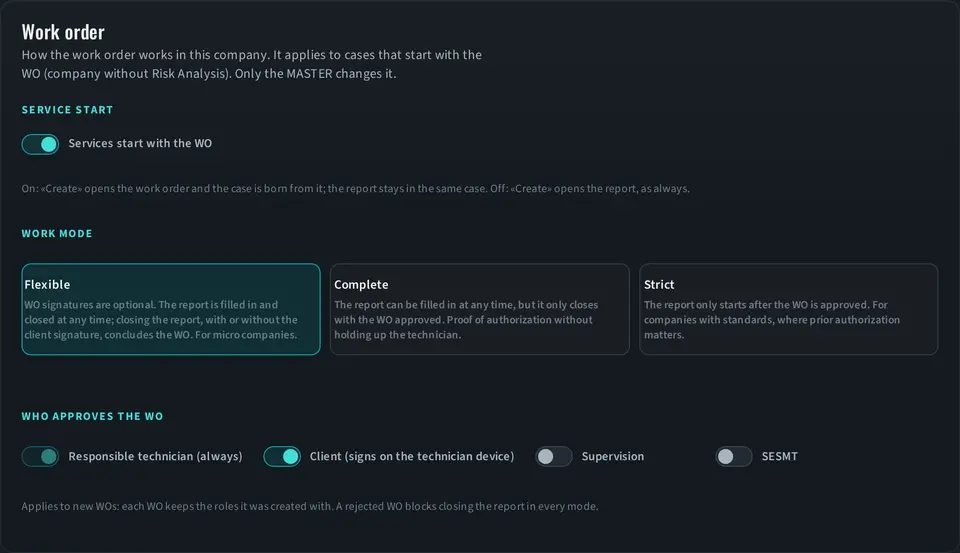
Three modes, from the simplest to the strictest. As the company grows, the work order grows with it — same system.
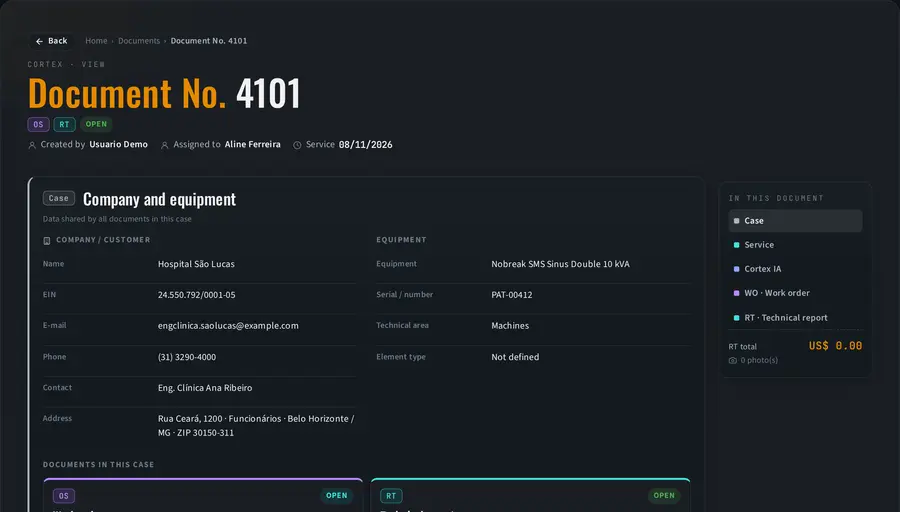
01 · CUSTOMER SIGNATURE
Whoever authorizes reads the work order and signs on screen, with their name. If they ask for changes or reject it, they write the reason. Everything stays in the case history, with date and time.
02 · THREE MODES
Every company works its own way. The owner picks the mode in Settings and can change it at any time.
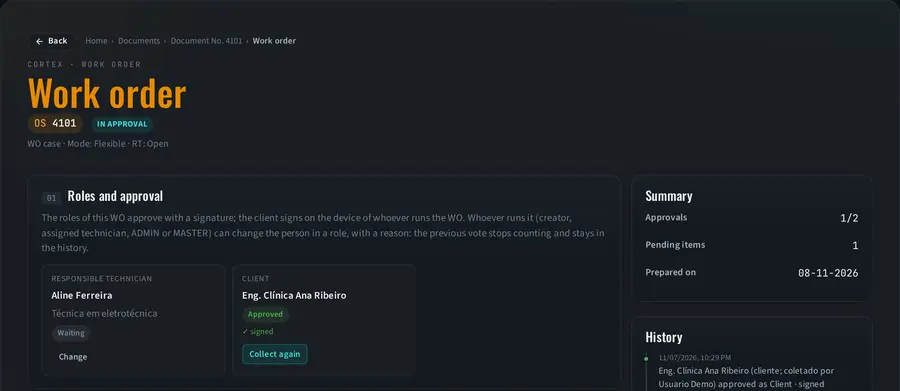
03 · THE SAME CASE
The case starts with the work order and the service report is done inside it: one number, one history and one PDF with everything. Who approves the work order is up to the company.
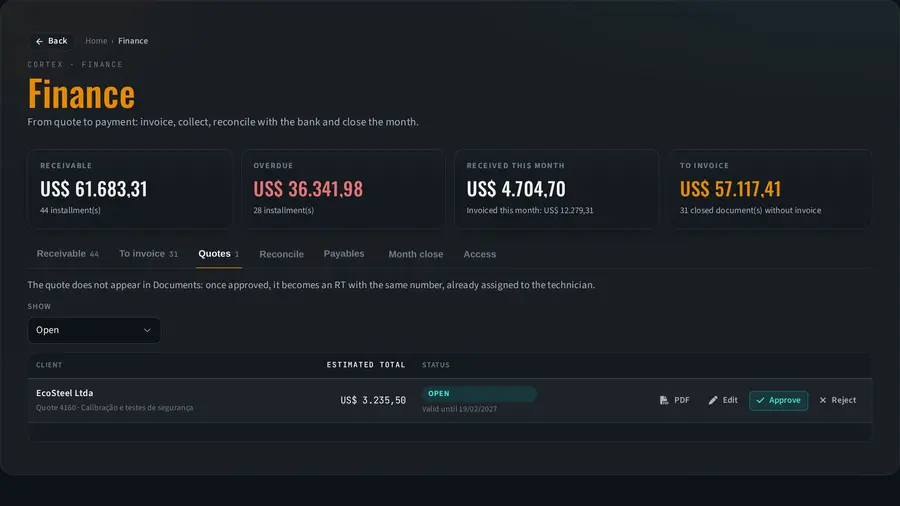
04 · WITH FINANCE BETA
With Finance, the quote the customer approved opens the work order with the same number, the customer and the address. From quote to payment, it is the same case.
The job starts with the work order: the customer, who attends and what will be done.
The customer reads it and signs on the technician’s phone.
The technician writes the report in the same case, with photos, hours and amounts.
The customer signs the report and the PDF goes out by WhatsApp or e-mail.
All connected
Want to go deeper?
No. The work order can be subscribed on its own, together with the service report. With risk analysis, it is included.
Yes. The company owner picks the mode in Settings and can switch at any time. Many companies start in Flexible and move to Complete once the team is used to it.
Yes. The report records the days and hours worked, and the case keeps when the work order was opened and when the report was closed. The work order is for something else: the customer’s authorization before the job.
No. They sign in person, on the screen of the phone of whoever runs the work order.
Try it for 15 days or talk to us on WhatsApp.
Trial with a valid card. Cancel before day 15 and you pay nothing.
We use cookies to keep the site working and improving, and we share statistics with Meta to offer more competitive prices. We never sell your data.
We use cookies to keep the site working and improving. We never sell your data.