The order becomes a PO by itself
Drop in the customer’s order PDF and CORTEX prepares the work order. You review and create it.
CORTEX · PRODUCTION BETA
Built for turning and machine shops that make bar-stock parts to order. The customer's order becomes a production order (PO), every step is recorded, and each part's cost comes from what it actually consumes — no paper, no side spreadsheets.

The essentials
Drop in the customer’s order PDF and CORTEX prepares the work order. You review and create it.
Queued, in production, at outside finishing or ready: every step checked off, with who and when.
Material by kg, setup, machine hours, finishing and assembly, calculated as you fill in the part.
01 · STEPS
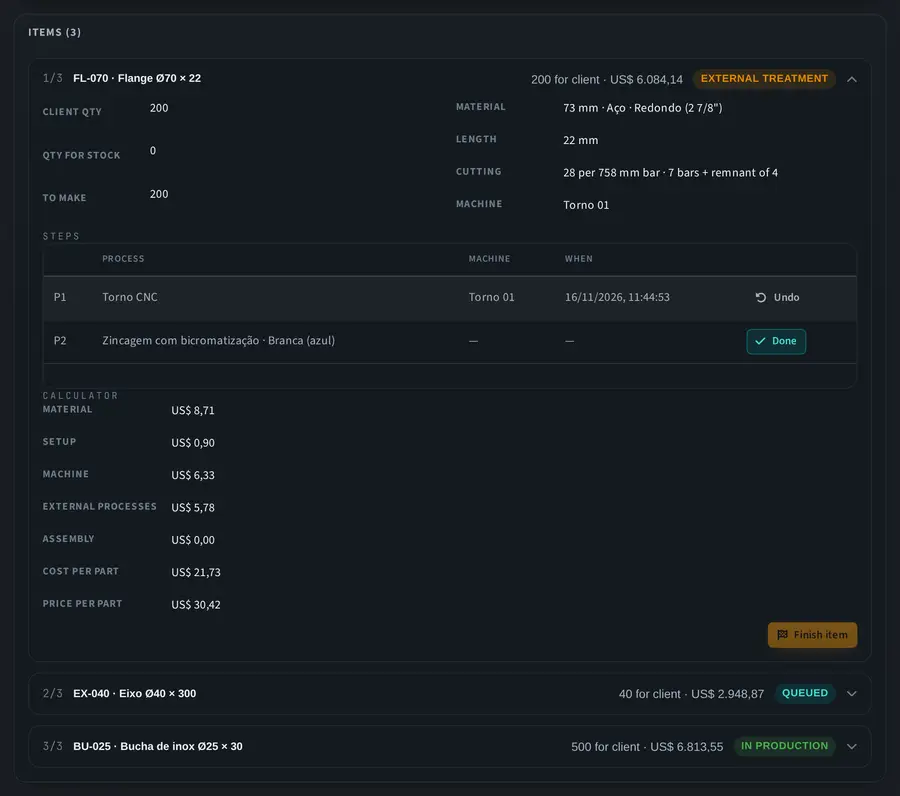
Each PO item carries the part's routing: lathe, finishing, assembly. The operator checks “Done” on each step and the item changes status by itself.
02 · SIMULATE ORDER
Pick the parts and quantities: you get the order value, cost, margin and machine time. Nothing is saved.
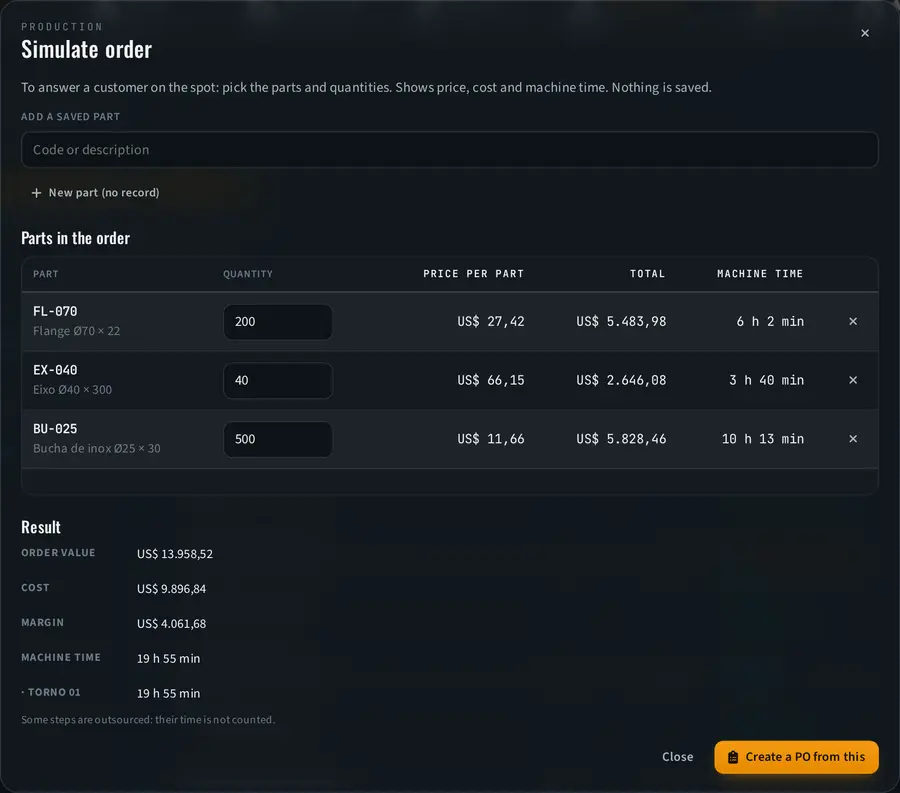
The customer calls; in a minute you quote the price and machine time of the order, without saving anything.
From the simulation or the order PDF, with an owner and a due date.
The operator sees the part sheet and the current CNC program, and checks off each step. The office is notified when the item is ready.
Finished parts go into Production Stock, and the PO is invoiced and delivered.
All connected
Want to go deeper?
Turning and machine shops that make bar-stock parts (round, hex or tube) to order. It grew out of production control at factories of that kind.
No. Whoever owns a PO sees only their own, without amounts, and checks off steps from their phone.
Material (by part weight and price per kg), setup divided by quantity, cycle × machine hourly rate, finishing and assembly. You enter your own rates; nothing comes preset.
No.
Try it for 15 days or talk to us on WhatsApp.
Trial with a valid card. Cancel before day 15 and you pay nothing.
We use cookies to keep the site working and improving, and we share statistics with Meta to offer more competitive prices. We never sell your data.
We use cookies to keep the site working and improving. We never sell your data.